Templates : Write Custom Text Formatting Functions

By default, Lucit comes with a number of built in text formatting functions for prices, numbers, temperature, dates, times etc.
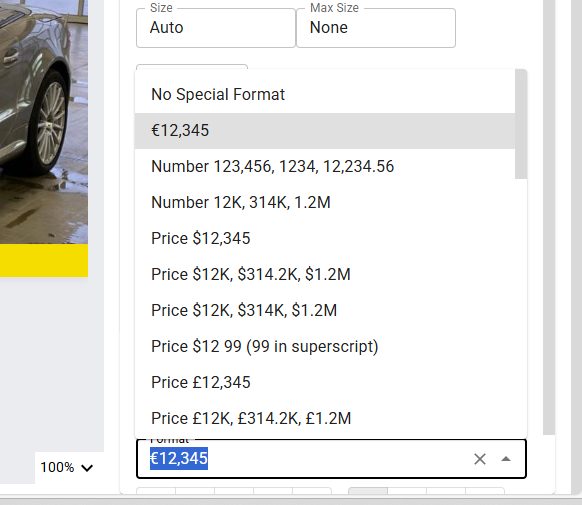
Lucit gives you the ability to build custom text formatting functions that will appear in your formats list that you can use to apply to any text element on your template.
In this example, we are going to create a Price formatting function that will use the Euro symbol €
You can register your custom text formatting functions in the code editor.

To open the code editor, click on the "Canvas" tab and then the "Code Editor" button. In the code editor, click on the "JS" tab.

In the code editor, we can register formatting functions into our formatting function list with a special function `
registerTextFormattingFunction(name,friendlyName,fn)This accepts the following arguments
name - The name of the function
friendlyName - What you want to appear in the format selector drop down
fn - The function that will execute. This function accepts 2 arguments
el - The element
dataValue - the current value of the element
Let's break this down
`registerTextFormattingFunction` this is how we tell Lucit about your new function
`formatPriceEuro` is a unique slug or function name for this function. Cannot contain spaces or special characters
`"€12,345"` this is a "nice display" for this function that will appear in your formatting functions list. Here we show a preview of what this function
(el, dataValue) => {
    const dataValueNumeric = dataValue * 1;
    el.innerHTML = "€" + dataValueNumeric.toLocaleString();

  }
Here we have the function
-`el` is the element that the function is being applied to
-`dataValue` is the value of the element (e.g. the price coming in from the data feed)
And here we simply force the dataValue to a number, and then set the innerHTML of the element to a formatted version of the price